Packet-loss repair
Packets your line drops are rebuilt on arrival, so short dropouts don't turn into lag. When your line starts losing packets, the app suggests turning it on.
For gamers and developers in Iran
When your line drops packets mid-match, you get lag, rubber-banding and broken voice chat. OhMyPing makes up for lost packets, keeps your ping steady and opens games and developer tools that block Iranian IP addresses.
A mobile line in Iran, 4 October 2026: 50 packets a second for 30 seconds, with loss repair on. Results on your line may differ.
Works with any online game, including
How it works
Every game packet is a moment of play. When the line drops one, the game either waits or moves on without it, and you see lag. With loss repair (FEC), a few extra packets travel alongside your game's, so a packet lost on the way is rebuilt from the rest on arrival: no resend, no waiting.
A simplified model: every 8 game packets get the fewest repair packets that keep loss under 0.5%. The apps adjust repair to your line.
Arrow keys: line packet loss · Space: repair on or off
Features
Packets your line drops are rebuilt on arrival, so short dropouts don't turn into lag. When your line starts losing packets, the app suggests turning it on.
To game servers in Europe your ping holds steady instead of jumping around, and the app shows your live ping and packet loss.
Games and developer tools that block Iranian IP addresses open from our European address. If a service checks more than the address, we make no promise.
Sign in and press connect; the server and settings choose themselves. If you want, set loss repair and packet size yourself.
Another phone or computer on the same Wi-Fi or hotspot can use your connection too.
Windows, Android and Linux apps in Persian and English, with Solar Hijri dates, and they update themselves.
Two routes
On Windows and Linux, Iranian sites open straight from your own internet: banking and payment pages work as always and don't count against your plan, while games go through OhMyPing.
On Android you choose which apps go through OhMyPing instead.
Space: Iranian sites direct, on or off
Is it for you?
Get started
Create an account on the site and buy your plan from our team, who activate it on your account.
Download the Windows, Android or Linux app from your account page.
Sign in with your account and press connect.
Apps
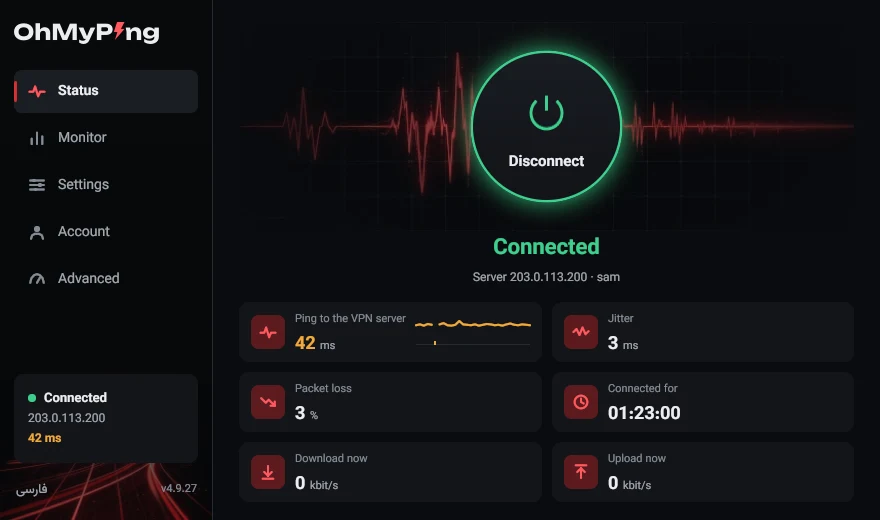
Windows 10 and 11: one-button connect, live ping and packet loss, and a nudge to turn on loss repair when your line drops packets.
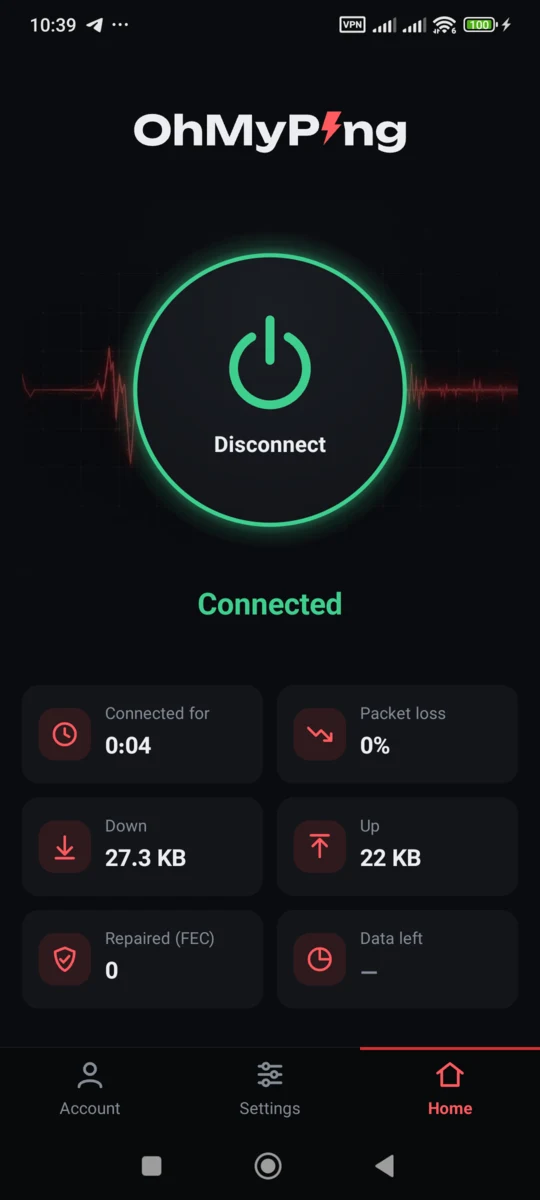
Android: the same button and stats, plus picking which apps use OhMyPing and sharing over hotspot.
Linux: install, sign in and connect with one command, and a menu for the rest.
$ sudo ./ohmyping install
$ ohmyping login
$ ohmyping connect
$ ohmyping status
OhMyPing: CONNECTED (Stockholm)
  Account: sara  Active, 2.14 GB of 30.00 GB used, until 2026-11-22
  Down 418.6 MB, up 37.2 MB, connected for 1h12m5s
  Ping 131 ms, 0 of the last 20 lost
The rules
Before activation, everything comes back. After activation, only if the service doesn't work for you.
The full ruleThe site has no analytics or ads, and the servers don't store a list of the sites you open.
What we keepIn plain words, with a short summary at the top. Read it once.
The full textFAQ
A service for gamers and developers in Iran: it repairs packet loss, keeps your ping steady and opens games and developer tools that block Iranian IP addresses.
Our servers are in Europe and we don't promise a lower ping; we promise a steadier one and less packet loss. To game servers in Europe your ping stays close to the direct route and steadier. If the game server is close to Iran, say in Turkey or the Persian Gulf, the direct route will probably give a lower ping; try both. The full answer
OhMyPing doesn't touch the game's files or memory and only changes the route of your connection. But every game has its own rules, and some limit a changed country or IP address in their terms. No service can promise you won't be banned; read your game's terms and decide for yourself.
These services recognize Iranian users by their IP address. With OhMyPing your connection leaves from our server in Europe, so they see a European address. If a service checks an account or a payment as well as the address, we make no promise. More
No. OhMyPing is not built to get around filtering in Iran and may not be used for that; sites filtered in Iran stay filtered with OhMyPing.
Any online game on Windows, Android and Linux. OhMyPing works on the connection, not on one particular game.
Yes, on home and mobile internet. Mobile internet usually loses more packets, and that's where loss repair makes the biggest difference.
Only with loss repair on: it sends a little extra data, a bit more on a line that drops more packets. It's off by default.
Create an account on the site and buy your plan from our team, who then activate it on your account.
Before activation you get everything back. After activation, only if the service doesn't work for you. The details are on the refunds page.
Your username, your password (only in hashed form), your plan and your devices. The full list, and what we don't keep, is in the privacy page.
Create your account here and buy your plan from our team.